Gwnewch eich prosiect 3D nesaf yn un o ansawdd uchel, yn gyflym ac am bris fforddiadwy


Dychmygwch senario: rydych chi'n ystyried cymryd cam rhithwir i fyd 3D, ond rydych chi'n nerfus:
- Faint fydd yn ei gostio?
- A fydd yn barod mewn pryd ar gyfer lansiad y ymgyrch sydd ar y gweill?
- Popeth uchod, a hefyd, a ellir ei wneud i safon uchel?
Pryderon dilys i gyd, ond rydym ni yma i ddweud wrthych y gellir cyflawni canlyniadau anhygoel gan ddefnyddio triciau a thechnoleg glyfar. Yn Proctors, rydym wedi mireinio llifoedd gwaith sy'n gwneud i gyllidebau weithio'n galetach ac yn helpu i gadw costau'n isel. Nawr, mae cryn dipyn iddo (a byddwn yn mynd i mewn i hynny) ond ar ei symlaf, dyma'r hyn y mae'n dod iddo: Lleihau, Ailddefnyddio, Ailgylchu. Er mwyn osgoi darllen gormod, byddwn yn rhoi rhai awgrymiadau arfer gorau i chi ar unwaith.
Arfer da 3D mewn pedwar pwynt bwled
Mae cael y gorau o 3D yn eich ymgyrchoedd yn gwella'n sylweddol trwy ddilyn yr egwyddorion sylfaenol hyn:
- Cofleidiwch AI – yn bersonol, rwy'n credu ei fod yn debygol o fod yn fwy defnyddiol mewn cynhyrchu 3D na'r rhan fwyaf o feysydd eraill.
- Defnyddiwch fodelau gweithgynhyrchu presennol – dyma'r ffordd hawsaf o gadw cyllidebau'n isel.
- Adeiladwch lyfrgell o'ch modelau – mae hyn hefyd yn berthnasol i ddeunyddiau, gweadau a goleuo. A gwnewch yn siŵr eich bod yn creu system archifo resymegol: Deunydd_Gliniadur_Anwastad_Llwyd_Tywyll™ wedi cael ei ddefnyddio ar draws nifer o brosiectau (gyda mân addasiadau), ond mae’n ddiwerth os na allwch ddod o hyd iddo’n gyflym.
- Awgrym ychwanegol: defnyddiwch GLTF neu FBX – mae’r ddau yn fformatau gwych ar gyfer symud asedau rhwng gwahanol feddalwedd a llwyfannau.
Dyna ddechrau da, ond gadewch i ni edrych yn ddyfnach ar fanylion ein dull RRR.
Lleihau - mantais AI
(A elwir hefyd yn Drawsnewidwyr – cynorthwywyr cudd)
Mae modelau Deallusrwydd Artiffisial (AI), yn enwedig modelau Diffusion Transformer (DiT), wedi bod yn gwneud llawer o sŵn (ac yna’n creu delweddau sy’n tanio sgyrsiau) i gyd o dan yr enw cynnwys generatif. Ond mae chwyldro arall sy’n llawer llai amlwg – ac, yn fy marn i, yn fwy defnyddiol – ar y gweill. AI a all fod yn gynorthwyydd 3D dibynadwy, effeithlon a chost-effeithiol i chi.
Rydym yn defnyddio AI i leihau nifer y polygonau (cyfanswm yr arwynebau) mewn modelau 3D. Ac yn aml gellir cyflawni hyn gydag ychydig o gliciau llygoden, yn hytrach na’r dyddiau arferol o optimeiddio â llaw – mewn llawer o sefyllfaoedd mae bron yn amhosibl gweld y gwahaniaeth.
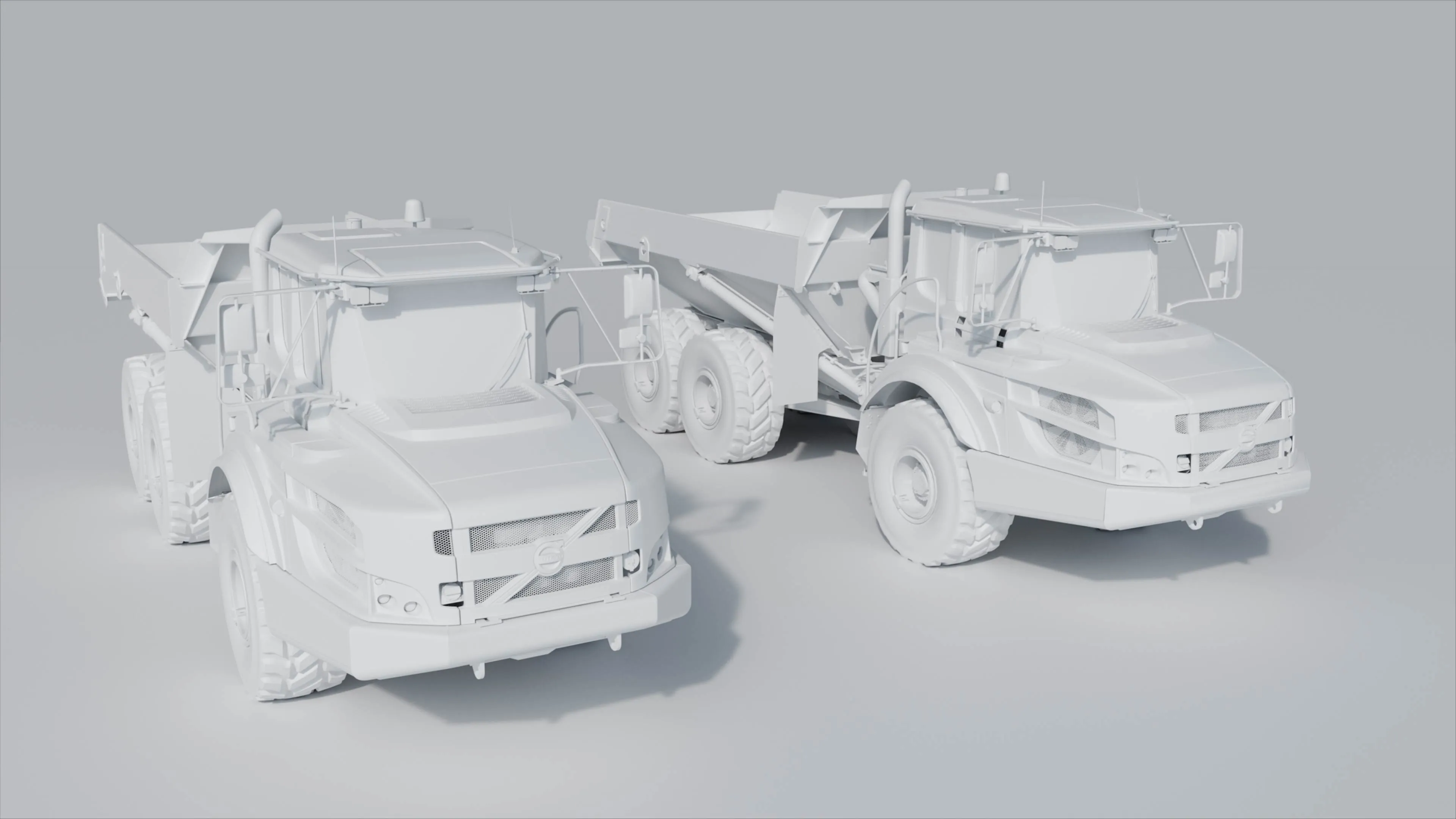
Ar ben hynny, gallwn nawr ddefnyddio AI i gynhyrchu gweadau. Mae offer sydd wedi’u hymgorffori yn Blender yn iterio trwy gannoedd o enghreifftiau cyn i ni hyd yn oed lwytho ein gwefannau gweadau arferol. Ac mae hynny cyn i ni hyd yn oed gyrraedd model CHORD AI newydd am ddim Ubisoft ar gyfer cynhyrchu gweadau PBR o ddelweddau. Ar hyn o bryd dim ond ar gyfer gwaith anfasnachol y mae ar gael, ond gallwch fod yn sicr y bydd fersiwn ffynhonnell agored yn dilyn yn fuan.
Beth am drosi delweddau llonydd yn fodelau 3D? Mae’n bell o fod yn berffaith, ond gall fod yn fan cychwyn gwych. Gan ei ddefnyddio fel man cychwyn ar gyfer eich cyfrannau sylfaenol, gallwch wedyn ail-dopolegio (tynnu dros y brig) model 3D cywir a braf. Mae ychydig fel braslunio’n gyflym â phensil i gael y siâp a’r cyfrannau’n iawn ac yna gwneud gwaith manwl â phen yn y pen draw. Ac i fod yn onest, os nad y model yw ffocws eich ffilm, gallwch yn aml ei lusgo i’r cefndir ac mae’n berffaith ddefnyddiadwy yn syth o’r AI.
Neu ddefnyddio AI yn syml i ‘ddileu sŵn’ (tynnu’r graen) o’ch rendriadau, sy’n golygu y gallwch rendro i ansawdd is, felly mae’n gyflymach, ac ychydig iawn o wahaniaeth (os o gwbl) sydd i’w weld o gymharu â rendriad hirach o ansawdd uchel nad yw’n defnyddio lleihau sŵn AI.
Y canlyniadau?
- Y gallu i ailadrodd yn gyflymach
- Amseroedd rendro cyflymach
- Gofynion prosesydd is
- Profiadau rhyngweithiol mwy ymatebol (gan eu gwneud yn llyfn yn hytrach na bod yn araf neu'n tueddu i neidio)
- Batris dyfeisiau sy'n para'n hirach
- Gweithrediadau gweinydd llyfnach (cyflymach i'w lawrlwytho a chyflymach i ddechrau gweithio ar ddyfais y defnyddiwr)
Rydym yn deall y gall AI ymddangos fel gair ffasiynol ym myd marchnata ar hyn o bryd (pwy a wyddai fod angen AI ar fatres?), ond pan gaiff ei ddefnyddio fel cynorthwyydd 3D personol, mae AI yn cynnig buddion byd go iawn. Gall wneud i'ch gwaith edrych yn well a lleihau amseroedd ac amseroedd cynhyrchu yn sylweddol, i gyd wrth ddefnyddio offer sy'n syndod o rhad neu am ddim.
Ac un arwerthiant olaf, gallwn eich helpu i redeg llawer o hyn yn lleol. Dim newid telerau gwasanaeth na chytundebau defnyddwyr drud. Ac yn bwysicaf oll, dim o'ch data yn cael ei anfon at gwmnïau allanol.
Ailddefnyddio - gwneud eich model gweithgynhyrchu yn gynhyrchiol
Yn y bôn, mae tri math o fodelau 3D:
1. Rhyngweithiol
- Ansawdd is (llai o bolygonau)
- Wedi'i ddefnyddio mewn gemau cyfrifiadurol a mathau eraill o ryngweithio (meddyliwch am XR ac ar-lein, ac ati)
- Gellir ei rendro (ac felly ei weld) mewn amser real
- Gofynion prosesu is
2. Ffoto-real
- Ansawdd uwch (mwy o bolygonau)
- Defnyddir mewn ffotograffiaeth, ffilm a theledu
- Rhaid ei rendro all-lein (fel arfer yn golygu aros yn hir cyn gweld y llun neu'r fideo terfynol)
3. Gweithgynhyrchu/CAD
- Gall gynnwys nifer uchel iawn o bolygonau
- Wedi'i ddylunio i ffracsiwn o filimetr ar gyfer peirianneg fanwl
- Llai addas ar gyfer rendro (dim gweadau)
- Defnyddir yn bennaf i ddiffinio siâp (h.y. i'w ddefnyddio gyda mowldio chwistrellu neu beiriannau CNC)
Yn aml, mae gennych chi eisoes y ffeiliau 3D ar gyfer eich cynhyrchion gweithgynhyrchu. Gan ddefnyddio cyfuniad o waith llaw ac AI, gallwn drosi'r ffeiliau hyn yn fodelau ffotorealistig ac ymatebol o fewn oriau, nid dyddiau. Mae hyn yn dileu'r angen i greu model 3D o'r dechrau. Mae cael model o ansawdd uchel i ddechrau ag ef yn arbed llawer iawn o amser, yn enwedig pan gaiff ei gyfuno ag AI i wneud rhan o'r gwaith optimeiddio ar eich rhan. Ychwanegwch gyfuniad o gynhyrchwyr gweadau AI ac rydych hanner ffordd at eich cynnyrch gorffenedig.
Ailgylchu – catalogio a chyfnewid
Fe wnaethoch chi archebu'r sesiwn saethu, casglu'r tîm ar y set, mireinio'r golygiad perffaith ac o'r diwedd cyhoeddi eich fideo newydd ar eich holl lwyfannau cymdeithasol. Felly, y dasg olaf yw cadw'r ffilm derfynol, dileu'r holl ffeiliau eraill ac anghofio amdani, iawn? Anghywir.
Yn rhy aml, dyma sut rydym yn gweld asedau 3D yn cael eu trin: wedi'u creu ar gyfer ymgyrchoedd ac yna'n cael eu claddu ar yriant caled heb byth weld golau dydd eto. Yn yr un modd ag y byddwch yn ail-olygu eich ffilmiau ar gyfer gwahanol sianeli, neu'n defnyddio darnau o ffilm ar draws gwahanol ffilmiau, dylid meddwl am ffeiliau 3D yn yr un ffordd.
Ailgylchu 3D ar waith yn Proctors
Cyn i ni symud i'n swyddfeydd newydd hyfryd ym Mryste, fe wnaethom greu animeiddiad cerdded drwodd cyflym i wirio'r cynllun arfaethedig o gynlluniau'r adeilad. Fe wnaethom ei fodelu'n hynod gyflym, gan greu ffeil enfawr o ychydig gigabeitiau – nid oedd amseroedd rendro yn bryder yma.
Ychydig flynyddoedd yn ddiweddarach, fe wnaethom gynnal ymgyrch CSR yn sôn am rai o'n gweithgareddau. Roeddem am roi ein model swyddfa ar-lein a'i wneud yn rhyngweithiol fel y gallai pobl archwilio ein hadeilad a darganfod mwy am yr hyn yr oeddem wedi bod yn ei wneud. Roeddem yn gwybod na fyddai hyd yn oed y cefnogwyr CSR mwyaf brwd yn aros i ychydig o gigabeitiau lawrlwytho, felly roedd angen rendro amser real arnom a oedd yn hynod ymatebol. Gan ddefnyddio cyfuniad o AI ac optimeiddio â llaw, fe wnaethom leihau ein model presennol o ychydig gigabeitiau i 10mb sy'n llawer mwy cyfeillgar i ffonau symudol a'r rhyngrwyd.
Tri astudiaeth achos 3D
Dyma rai ffyrdd rydym yn rhoi'r broses hon ar waith ar gyfer ein cleientiaid:
Panasonic
Ar gyfer lansiad model gliniadur blaenllaw, fe wnaethom dynnu'r cydrannau mewnol (yn y bôn, unrhyw beth na fyddai'n weladwy o'r tu allan) o fodel gweithgynhyrchu a ddarparwyd gennym yn gyflym. Yna, fe wnaethom ei redeg drwy fodel AI i leihau nifer y polygonau yn awtomatig heb unrhyw wahaniaeth gweladwy. Roedd ailddefnyddio'r model gweithgynhyrchu yn golygu y gallem symud i'r camau gweadu ac animeiddio bron ar unwaith, gan ddileu'r angen i wastraffu cyllideb ar fodelu'r TOUGHBOOK o'r dechrau.
Prysmian
Unwaith eto, darparwyd model gweithgynhyrchu, a helpodd i gyflymu'r hyn a allai fod wedi bod yn broses fodelu 3D hir.
Epson
Ar gyfer y prosiect hwn, nid oedd y model gweithgynhyrchu ar gael. Yn lle hynny, fe wnaethom ddefnyddio AI i droi un ddelwedd lonydd yn fodel 3D. Roedd y model ymhell o fod yn berffaith, ond fel man cychwyn gyda'r dimensiynau bras, roedd yn amhrisiadwy o ran lleihau amser modelu 3D.
Y llinell waelod
Does dim rhaid i 3D olygu bod rhywbeth yn ddrud, yn araf, neu'n rhywbeth sy'n cael ei ddefnyddio unwaith yn unig. Gyda'r llifoedd gwaith cywir, gallwch:
- Torri costau heb gyfaddawdu ar ansawdd
- Lansio ymgyrchoedd yn gyflymach
- Adeiladu llyfrgell y gellir ei hailddefnyddio o asedau digidol sy'n darparu gwerth ymhell y tu hwnt i un ymgyrch
Yn Proctors, rydym yn helpu brandiau, gweithgynhyrchwyr, a busnesau B2B i ddatgloi potensial llawn 3D - gan droi'r hyn a allai fod yn gost un-tro yn fuddsoddiad strategol hirdymor.
Os hoffech siarad â ni am botensial 3D ar gyfer eich busnes, cysylltwch â ni yn marketing@proctorsgroup.com.